
NFT widgets for iPhone and iPad
Your NFTs, framed on your home screen.
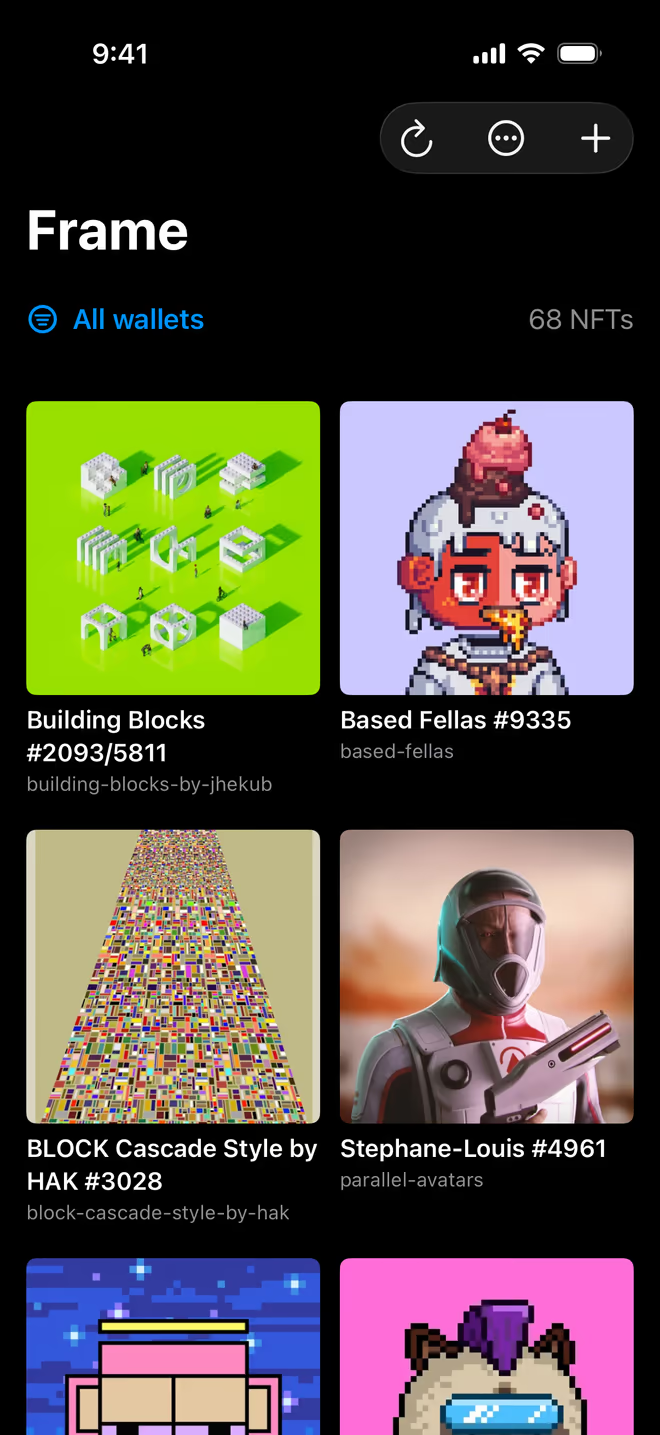
Paste a public wallet address and Frame shows what's in it. Pick a piece and it goes on your home screen as a widget. You never connect a wallet or type a seed phrase.
You'll need Apple's free TestFlight app. The link walks you through it. On a computer? Open this page on your iPhone.
Or look up a wallet in your browser first.

Works with wallets on
- Ethereum
- Base
- Polygon
- Arbitrum
- Optimism
- Avalanche
- Solana
Gallery
Every wallet in one gallery
Paste an Ethereum-style or Solana address and Frame loads its NFTs. Save a few wallets, give them nicknames, and view them together or one at a time.

Artwork
Choose what goes on the widget
Touch and hold any NFT, then tap Use in Widget. Each widget can show a different piece.


Read-only
All Frame needs is a public address. It never asks for a wallet connection, seed phrase or private key, so it can't move anything.
Saved on your device
Your wallet list, nicknames and hidden NFTs are stored in the app on your iPhone or iPad.
Public data only
NFTs and artwork come from public blockchains, through a third-party NFT data service. Frame only shows what anyone can already see.
Put your NFTs on your home screen
Frame is in public beta on TestFlight.
You'll need Apple's free TestFlight app. The link walks you through it.